
Apple’s device management ecosystem has matured significantly, but it was built in layers rather than as a single unified system. Apple Configurator, Apple Business Manager (ABM), and mobile device management (MDM) platforms each serve a distinct role. Getting the most out of Apple devices in a business environment means understanding all three and deploying them […]
How to manage Apple devices at scale without the setup chaos

A practical guide to diagnosing and resolving Windows Update issues
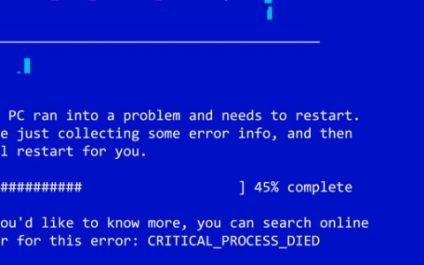
The error messages Windows Update displays during a failed update are rarely self-explanatory. What they describe is a symptom, not a cause. Most update failures, though, trace back to one of four root causes, and each has a clear resolution path. Working through them in order from least disruptive to most involved resolves the vast […]
Planning a private cloud? 4 things to get right before you build anything

The appeal of a private cloud is straightforward: dedicated infrastructure, greater control over data, and the ability to customize the environment to your specific workloads. However, the execution is harder than it looks. Four common mistakes account for most private cloud deployments that fail to deliver on their initial promise. Underestimating infrastructure requirements Private clouds […]
Your EHR will go offline eventually — here’s how to make sure your team is ready

An EHR downtime is the kind of event that reveals, quickly and concretely, whether a team has practiced for it or only planned for it. While planning establishes procedures on paper, practice builds the competence needed to carry them out under pressure. This guide covers six clinical and operational priorities for EHR downtime drills and […]
How to audit and manage browser extensions before they become a security problem

A browser extension with permission to read and change all your data on every website has roughly the same access to your activity as the browser itself. For individual users, that might be an acceptable tradeoff for a useful tool. For a business PC, it is an access level that deserves the same scrutiny as […]
No more scheduling back-and-forth: How Microsoft Bookings keeps appointments moving

Microsoft Bookings replaces the scheduling email chain with a self-service booking page tied to your real-time calendar availability. Clients choose their own time, receive automatic confirmations, and can reschedule or cancel without involving your staff. For businesses with appointment-based services, the efficiency gains are immediate and measurable. Automated scheduling that runs without you The core […]
Image optimization: How it affects SEO and website performance

Most website owners underestimate how much their images are affecting their search rankings. File size, format, naming, alt text, and contextual placement all feed into both search engine indexing and page performance. These practices address the most impactful aspects of image optimization. Get your dimensions right Uploading images larger than they need to be is […]
Presenter Coach: PowerPoint’s most underrated tool

PowerPoint Presenter Coach has been part of Microsoft 365 for several years, but it remains one of the lesser-known features in the suite. It provides real-time coaching on delivery quality, covering everything from speech pacing and filler word use to body language and pronunciation, and generates a detailed report at the end of each rehearsal […]
The business case for virtual reality: Practical uses across industries

Virtual reality (VR) moves faster in business than most people realize. The entertainment association lingers, but organizations across construction, manufacturing, healthcare, real estate, and retail have been deploying VR for specific operational use cases where it outperforms any alternative. Today, VR adoption is driven by five high-impact business applications. Remote inspections and audits Site inspections […]
A step-by-step guide to removing your data from an Android device for good

Before you sell, donate, trade in, or recycle an Android device, it needs to be properly wiped. Simply deleting files or performing a factory reset without encryption leaves data recoverable by anyone with the right software. Here’s how to properly wipe your Android device, step by step. Step 1: Back up everything you want to […]